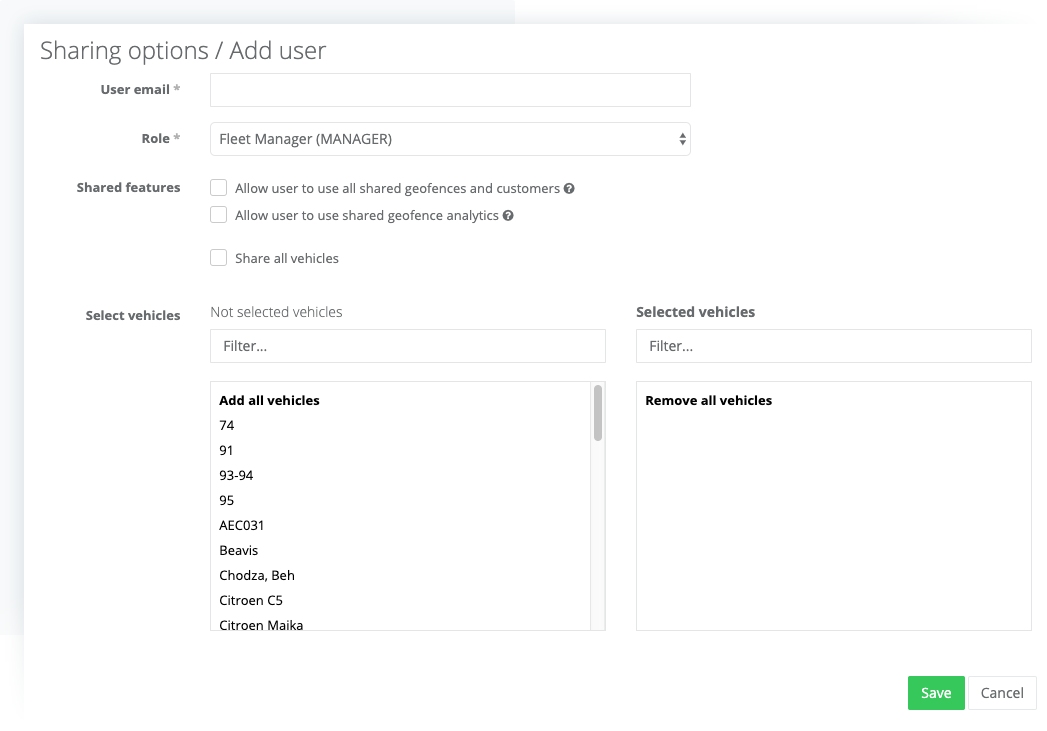
Plan sharing is a feature used for sharing one paid plan with multiple user accounts. This is, for example, useful for large fleets where multiple fleet managers are responsible for different groups of drivers.
Vehicles shared through plan sharing aren’t distributed to shared users mobile apps they are only visible in web application.
To access plan sharing:
- Click on your name on the top right and then click on the “Business plan” that is under your email. Another option is to click on My plans and click on plan name or show plan details in the dropdown menu of the active plan.
- Scroll down and click on the PLAN SHARING tab. Here you can add or manage existing users.
- The user can have one of these roles:
- Fleet Manager (MANAGER) – user with this role sees and can edit only vehicles you share with him.
- Administrator (ADMIN) – sees all vehicles associated with the plan and can edit the list. When you share a plan user will be able to edit only the list of vehicles that are associated with that plan.
- User with view rights (USER) – user with this role sees only vehicles you share with him. The vehicle can’t be edited by this user.
- When you created a user who doesn’t have an account on MyCarTracks he must create an account with his email on the signup page – https://mycartracks.com/sign-up. This account can be created before or after you add him.
| Plan sharing is available only with the Business plan (old Fleet professional plan). |
See also: Shared Geofences and Geofence Analytics